How to Delete Your Account
Step 1
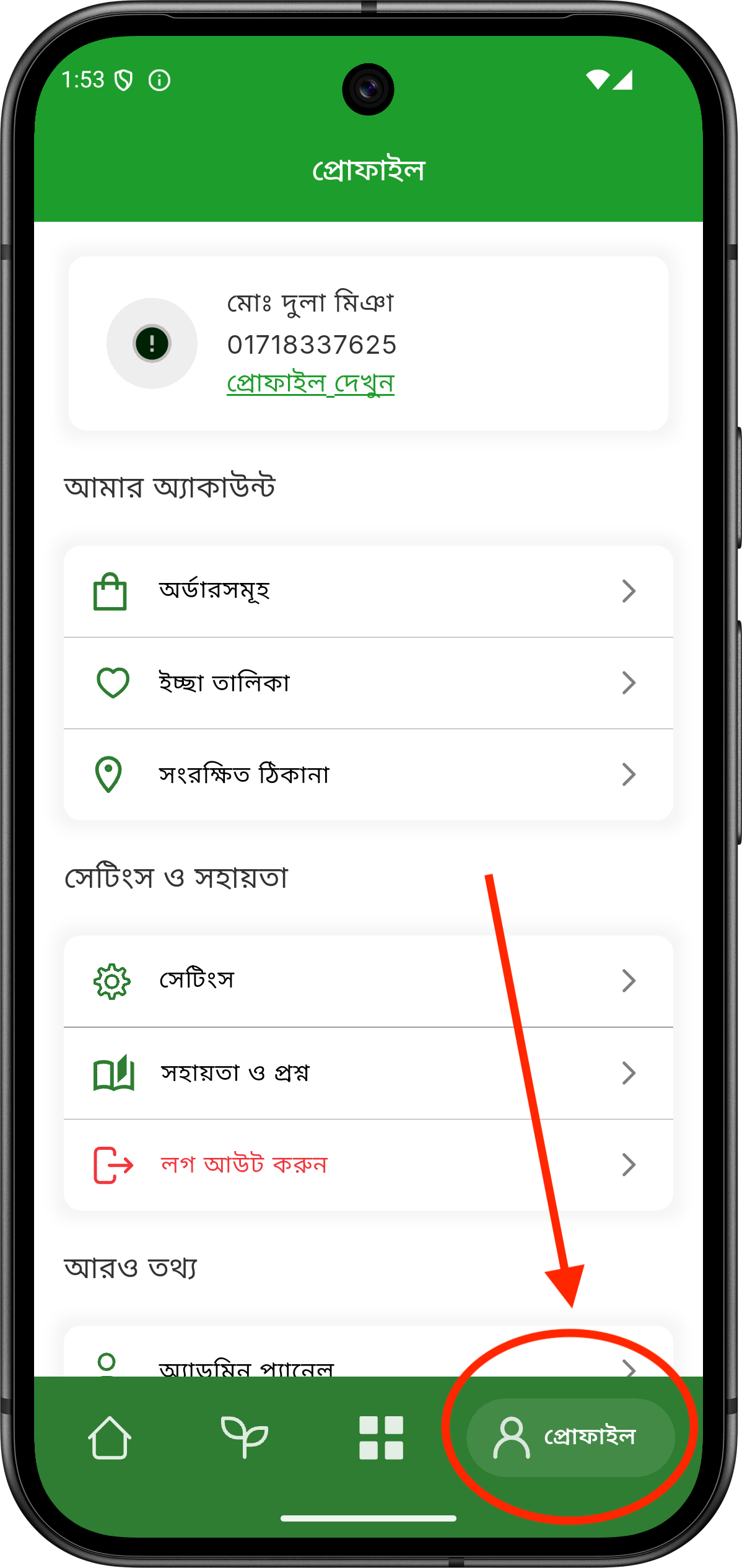
After logging in, go to the User Dashboard from the Profile section.
Step 2
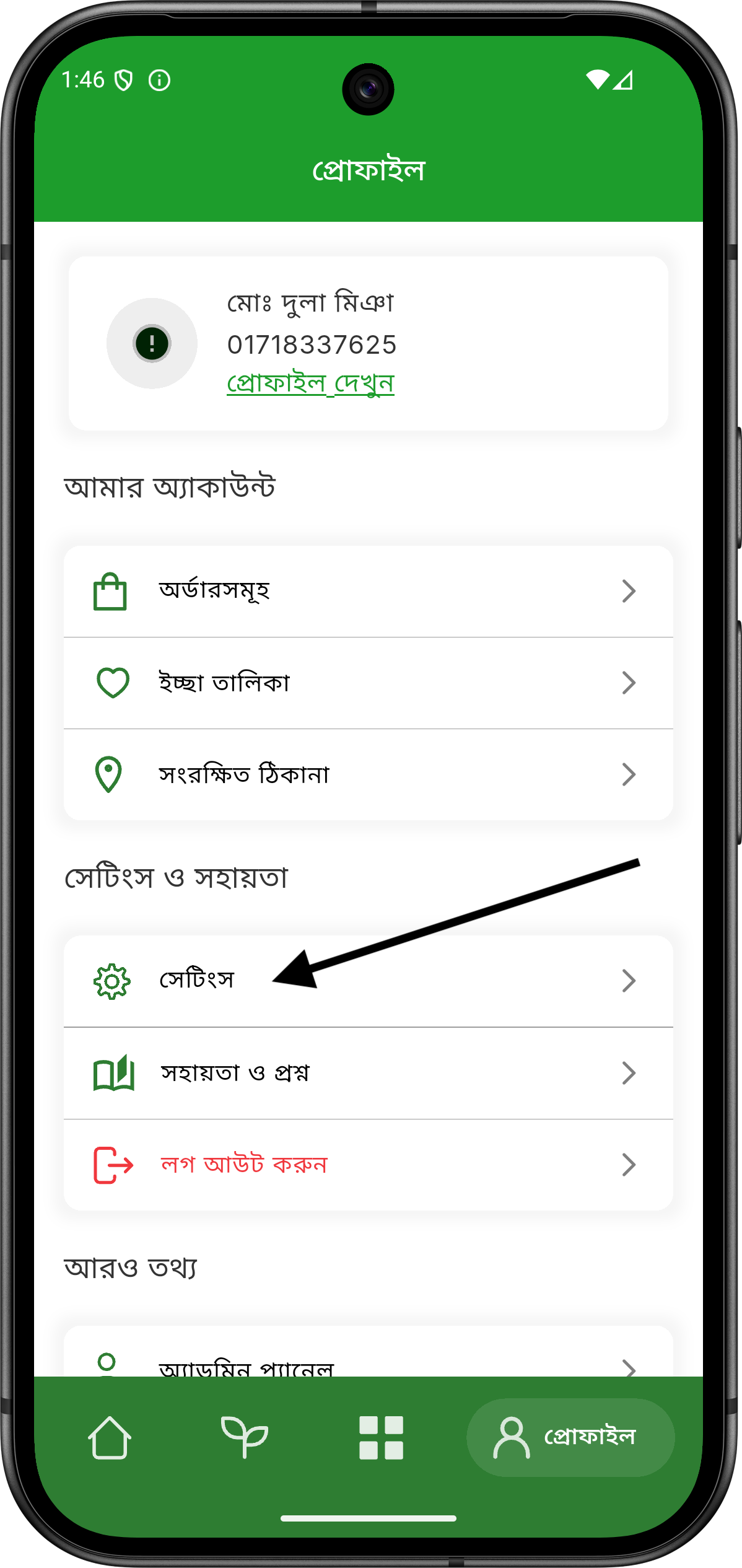
Click on the Settings gear icon located near the profile picture.
Step 3
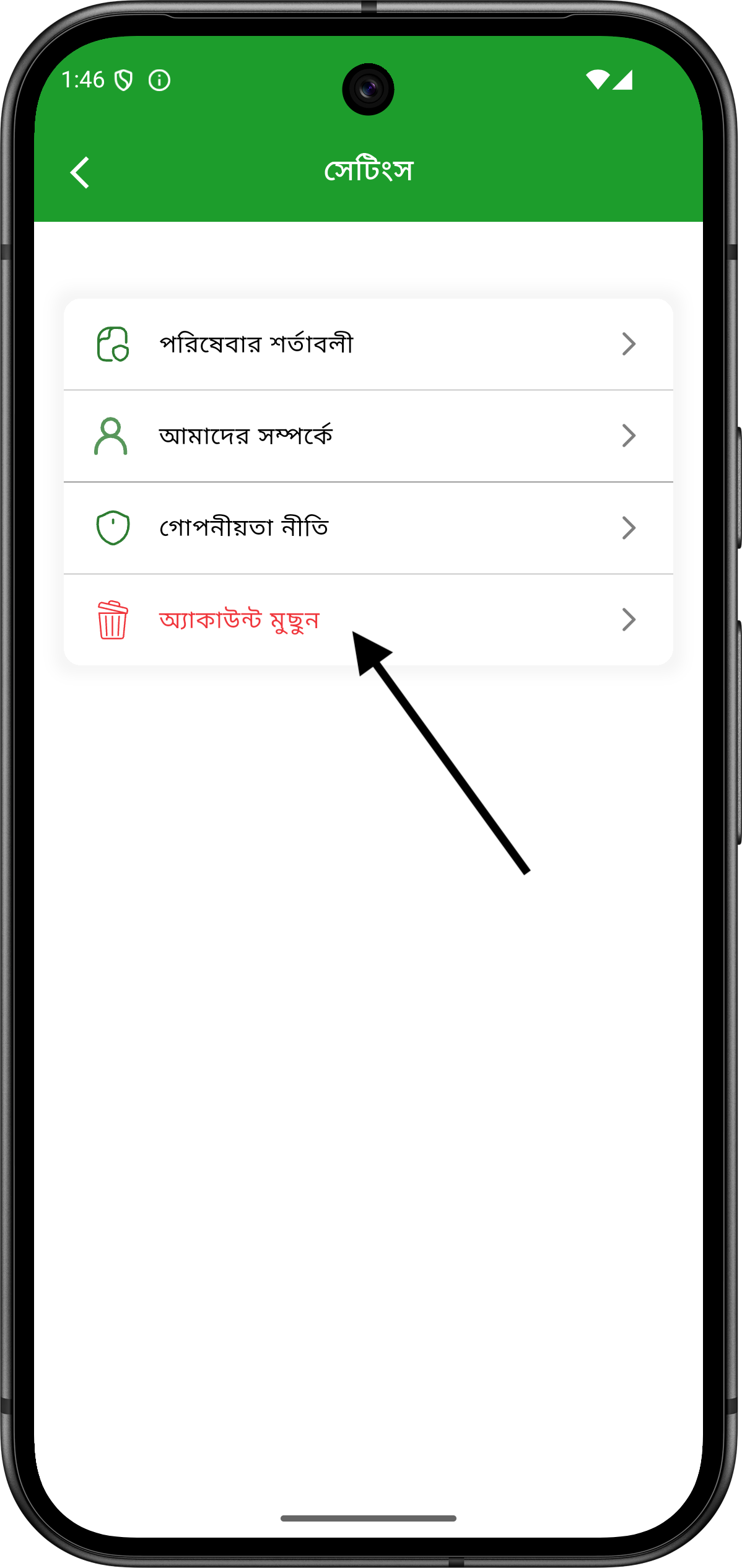
Click on the option written in red text, as shown in the image.
Step 4
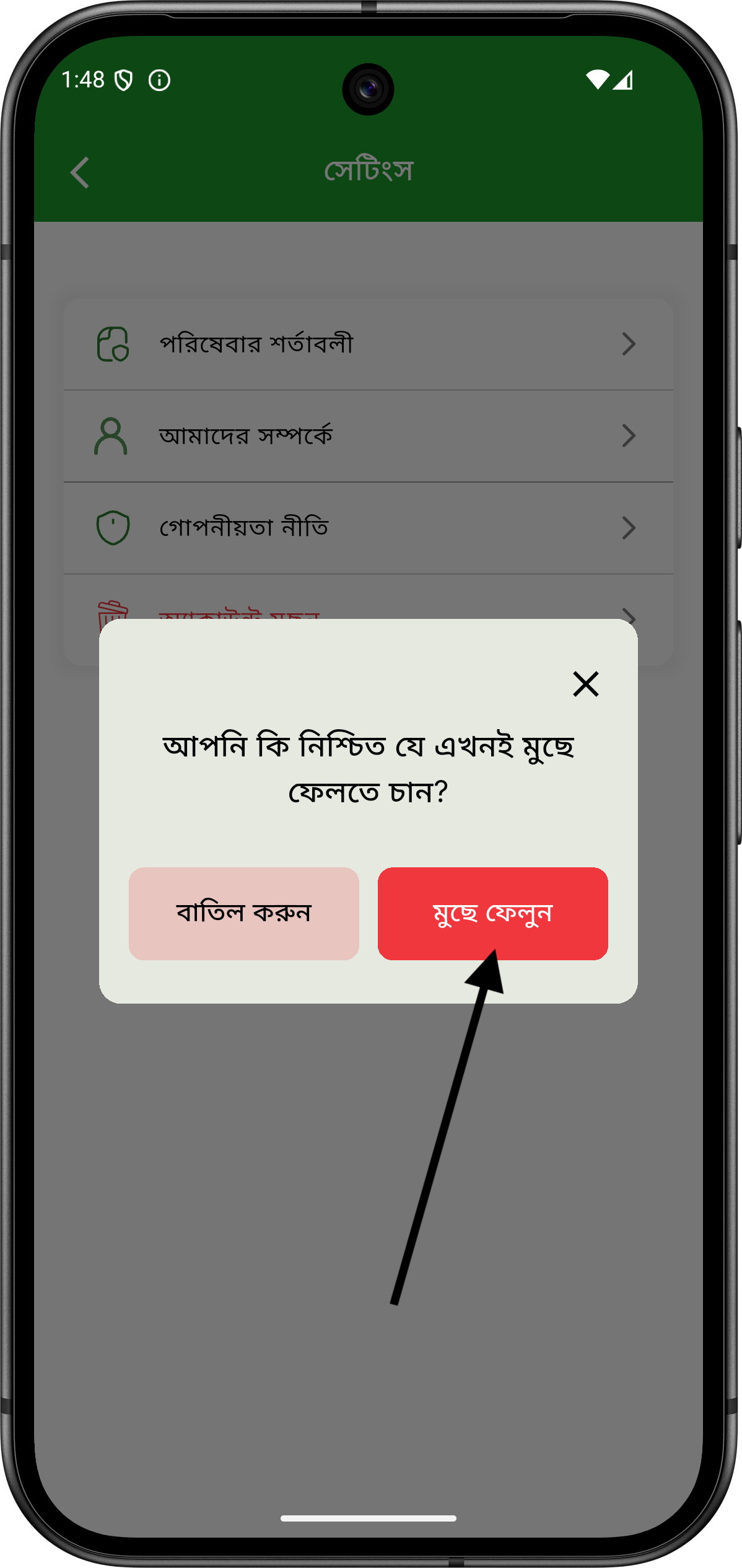
Tap on the red Delete Account button marked in the image. Once tapped, your account will be permanently deleted.
কিভাবে একাউন্ট ডিলিট করবেন
ধাপ ১
প্রথমে অ্যাপে লগইন করার পরে Profile সেকশন থেকে User Dashboard এ যান।
ধাপ ২
Profile ছবির পাশে থাকা Settings গিয়ার আইকন-এ ক্লিক করুন।
ধাপ ৩
Settings পেজে প্রবেশ করার পরে ছবিতে দেখানো অনুযায়ী লাল হরফে লেখা অপশনটিতে ক্লিক করুন।
ধাপ ৪
এরপর নিচের ছবির মতো করে লাল রঙের Delete Account বাটনে ট্যাপ করুন। এই বাটনে ট্যাপ করলেই আপনার একাউন্ট স্থায়ীভাবে ডিলিট হয়ে যাবে।